Simple Git hosting. Built in Rust.
A lean, responsive home for your private repositories.
Native Git and OpenSSH, with a simple browser console for the rest.
From server to first repository.
- Get the package
One download includes the Rust service, web console and installer.
- Configure your server
Choose a domain and Git storage, then connect SMTP for sign-in codes.
- Install and sign in
Review the install plan, start the services and open your console.
For a fresh Linux server with systemd, Git, OpenSSH and Python 3.11+. Requires a dedicated Git data filesystem and SMTP relay.
The tools you need, close at hand.
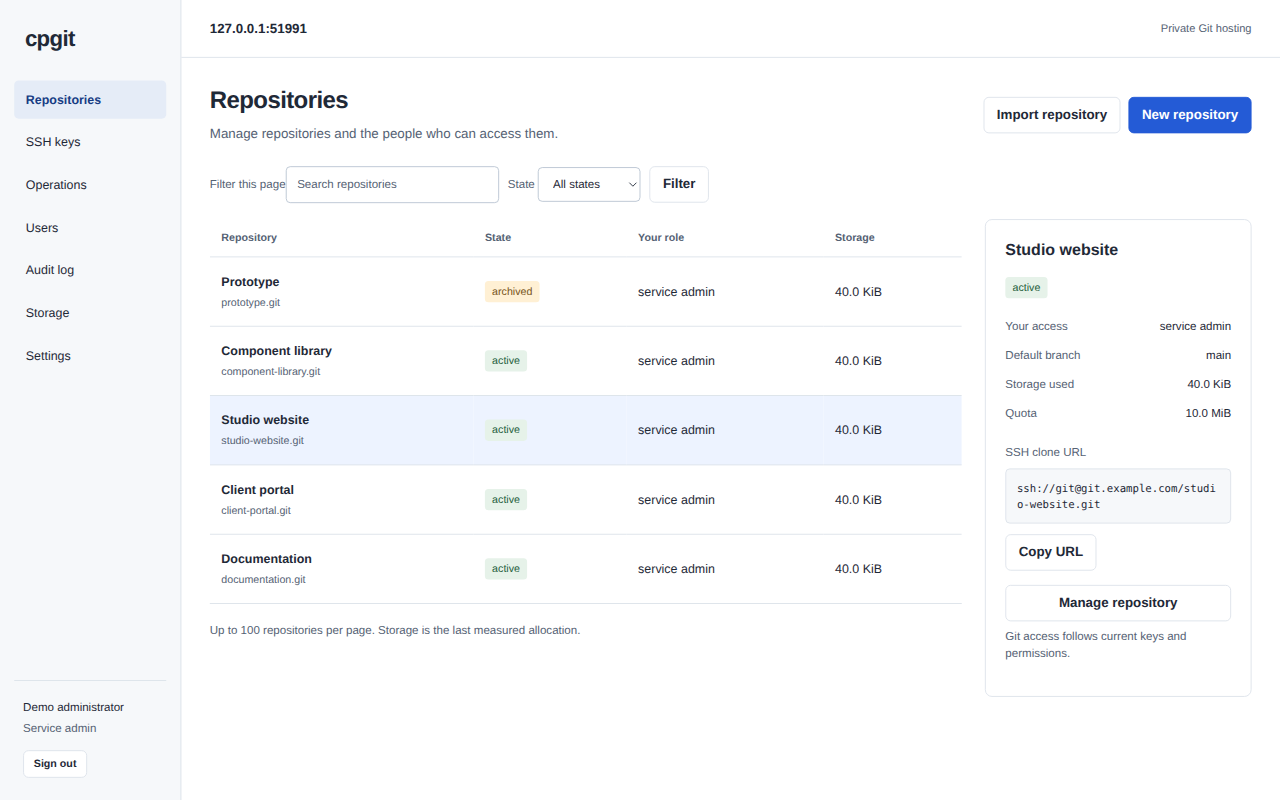
Get straight to repositories, people and access. The console follows the same permissions as the service.
| Repositories | Create and import repositories. Copy a clone URL and use your usual Git tools. |
|---|---|
| People and access | Manage personal SSH keys and reader, writer or repository-admin access. Sign in with an emailed code. |
| Archive and restore | Archive to block writes. Soft delete retains data; restoring returns a repository to archived. |
| Import and export | Move supported branches and tags with portable Git bundles and checksum manifests. |
| Audit and storage | Inspect policy actions, operation progress, disk headroom and repository allocation. |
cpgit focuses on hosting and management. Code browsing, issues, merge requests and CI are outside its scope.
Set up your serverDevelopment preview. The GUI and installer pass local checks. Fresh-host installation, real SMTP delivery and public HTTPS still need verification.